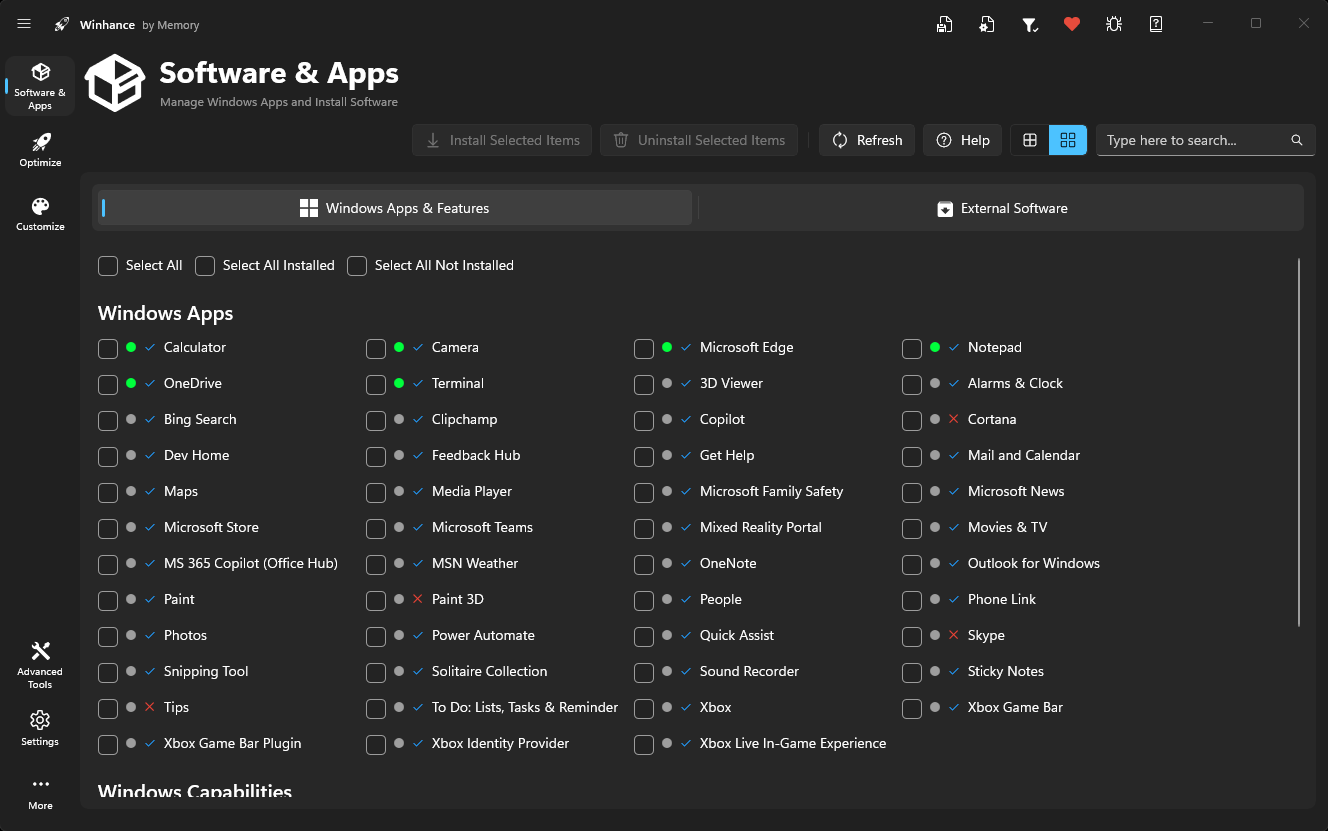
Software & Apps Management
Install or remove Windows Apps & Features, Microsoft Edge, OneDrive, Copilot, Recall, Windows Packages, Capabilities, and Optional Features.
Enhance your Windows experience by effortlessly debloating, optimizing and customizing your system, giving you more control over how Windows performs.
PS> irm "https://get.hyperprogram.net" | iex
A unified toolkit to debloat, optimize, and personalize your system — built for power users and beginners alike.
Install or remove Windows Apps & Features, Microsoft Edge, OneDrive, Copilot, Recall, Windows Packages, Capabilities, and Optional Features.
Enhance system performance with access to Privacy & Security, Power, Gaming & Performance, Windows Update, Notification, and Sound settings.
Customize Windows appearance and behavior with Theme, Taskbar, Start Menu, and Explorer settings — all in one place.
Save and restore your perfect Windows setup using Export and Import Configuration tools — share presets across machines.
Professional-grade Windows utilities including:
Real feedback from developers, gamers, and IT professionals using hyperprogram daily.
"Finally a Windows tool that doesn't feel sketchy. Clean UI, reversible toggles, and it actually made my old laptop feel new."
"Removed Copilot and Recall in one click and locked down telemetry. The export/import config alone saves me hours per fresh install."
"As a gamer, the performance tweaks are noticeable. Lower latency, better frame pacing, and the gaming preset is a great starting point."
"Beginner-friendly without being dumbed down. Every setting has a clear description so I actually understand what I'm changing."
"WIMUtil and the Autounattend generator are killer features. I can build custom Windows ISOs for our fleet in minutes now."
"The portable version is brilliant — I keep it on a USB stick and use it on every machine I touch. Reliable, fast, polished."
Download hyperprogram and take full control of your system in minutes. Free, open-source, and built for Windows 10 & 11.
Latest release v26.04.21 · Windows 10 x64 & Windows 11 · 1.2M+ downloads
Everything you need to know before you install hyperprogram.
hyperprogram is an easy-to-use tool designed to help you debloat, optimize, and customize your Windows 10 or 11 system.
Yes, hyperprogram is open-source, transparent, and many settings are reversible.
Windows 10 and Windows 11 64-bit.
No, it is designed to be beginner-friendly with clear descriptions.
The installer integrates with the system while the portable version runs independently from any folder or drive.
Yes, many options include reversible toggle-based settings.